June 6, 2026
Forever Activities and Activity Priority
Run Live Activities past Apple's 8-hour limit with long-running mode, and choose which activity shows first with priority.
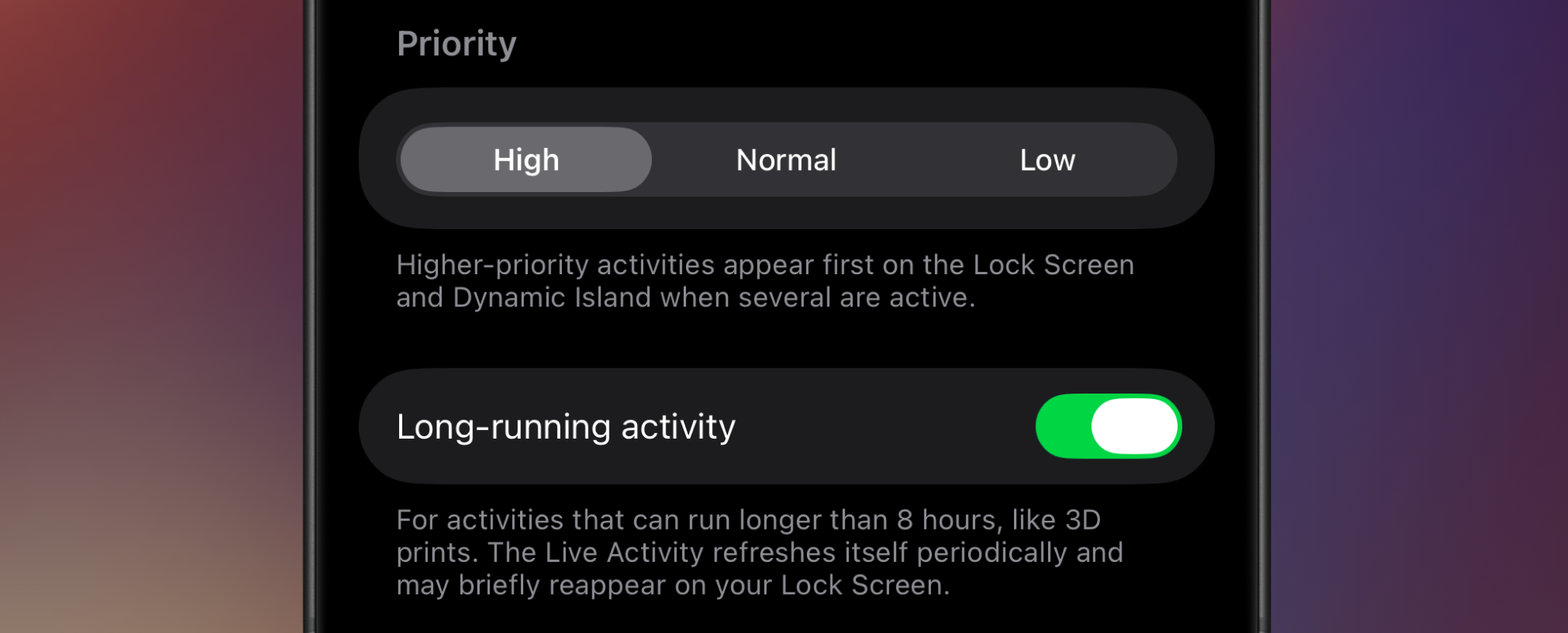
Every Live Activity comes with a hidden expiration date. Apple ends them after about eight hours, and there’s no way to ask for more time. For a wash cycle or a download that’s no problem. For a 12-hour 3D print, an overnight dehydrator run, or an automation that runs all day, the card would hit the wall and vanish mid-task.
v1.5.0 fixes that with long-running activities. It also adds activity priority, a way to decide which activity gets the spotlight when several are running at once. Let’s dig in.
Forever activities
Flip on Long-running when you create or edit an activity, and Aivi keeps its Live Activity going for as long as the underlying process runs. It’s built for the things that don’t fit inside an eight-hour window: 3D prints, slow cookers, EV charging sessions, backups, or any automation that runs all day.
How it works
Apple’s eight-hour limit is a hard ceiling on a single Live Activity. You can’t stretch one past it. So instead of fighting that, Aivi rotates: shortly before an activity reaches the limit, it swaps the old Live Activity for a fresh one carrying the same content. The clock resets, and your activity carries on as if nothing happened.
The one thing to know: a rotation is a brand-new Live Activity, so it may briefly reappear on your Lock Screen when it happens, even if you’d swiped the old one away. That’s the handoff, not a glitch.
Keeping it alive
Rotation only continues while the activity is still being updated. Each time a rotation comes due, Aivi looks at when the activity was last updated and decides what to do:
- Still active. If it received an update in the last few hours, Aivi rotates it and the activity keeps going.
- Gone quiet. If it hasn’t been updated in about six hours, Aivi takes that as the activity being over and ends the Live Activity for you, instead of rotating it.
So the rule is simple: keep sending updates and a long-running activity runs indefinitely. Stop, and Aivi ends it for you at the next rotation, so you are never left with a frozen card stuck on your Lock Screen. If your process naturally goes quiet for long stretches, send the occasional heartbeat update to keep the activity live.
Activity priority
When you’ve got more than one activity running, the Lock Screen and Dynamic Island can only show so much. Priority lets you decide what wins that space.
Each activity can be set to High, Normal, or Low. When several are active at once, higher-priority activities appear first on the Lock Screen and Dynamic Island. It’s a per-activity setting, so you can keep a critical alarm above a background download without touching either one’s content.
Get started
Both Long-running and Priority are properties of the activity itself, set right in the Aivi app on the create or edit screen. That means they apply no matter how you drive your activities: Home Assistant, the public API, or anything else that talks to Aivi. There’s no payload field to add and no blueprint to re-import.
Update to v1.5.0, open any activity, and you’ll find the new Priority picker and Long-running toggle waiting.
One more thing: annual billing
Aivi now has a yearly plan. Pay $23.99 a year, which works out to about $2 a month, or keep the $2.99 monthly plan. You get the same plan and every feature either way, and your first week is still free. Choose your billing on the pricing page or from the subscription screen in the app.
Questions, bugs, or a long-running setup you’re proud of? Come say hi on the community board.