April 11, 2026
Progress Template, Tap Actions, and Activity History
A new progress template with segmented bars, tap-to-open URLs, and activity history tracking.
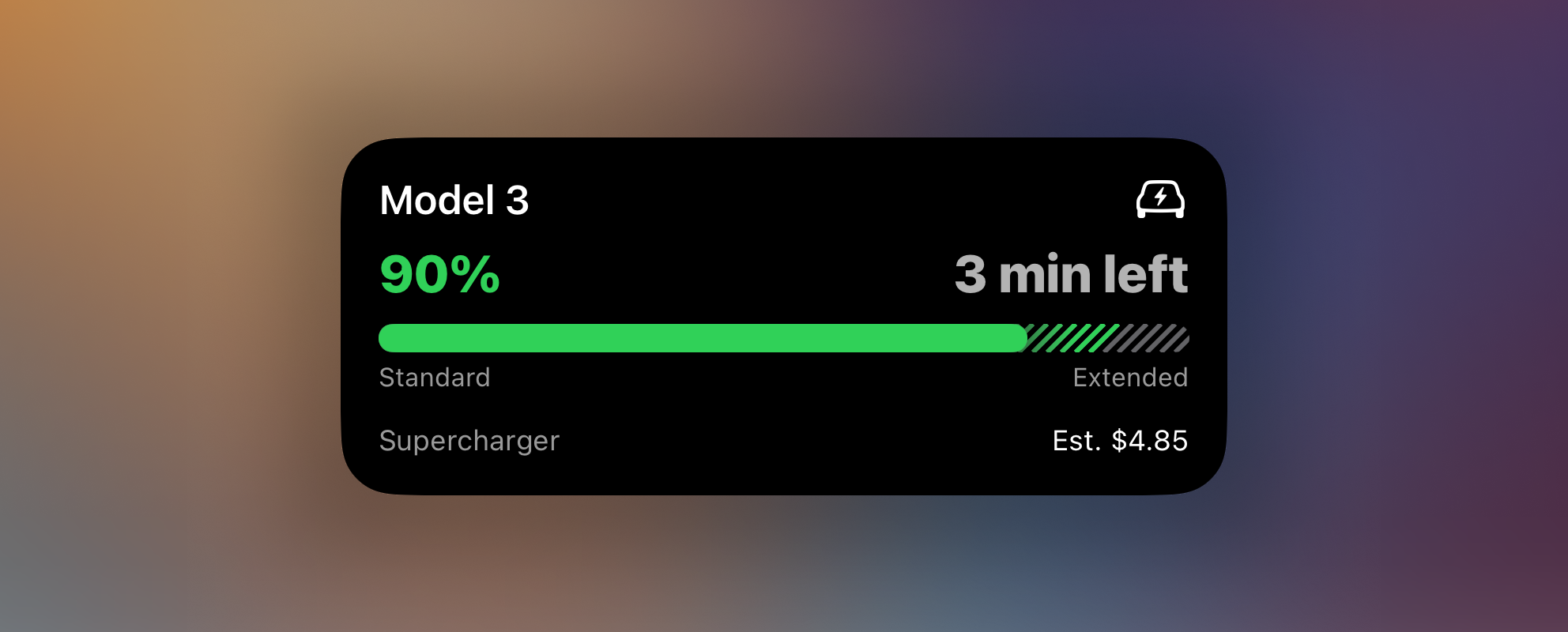
v1.3.0 is a big one. A brand-new template, the ability to open URLs straight from a Live Activity, and a timeline of when your activities fired. Let’s dig in.
Progress template
The Generic template served us well, but it was never designed for the range of progress visualizations people wanted. The new Progress template replaces it with something far more flexible.
Taking inspiration from the Monitor template’s slot-based layout, Progress pairs a customizable progress bar with optional header and footer slots on each side. At its simplest, it’s a clean bar with a status label — think charging status, download progress, or a washing machine cycle. But it can do a lot more than that.
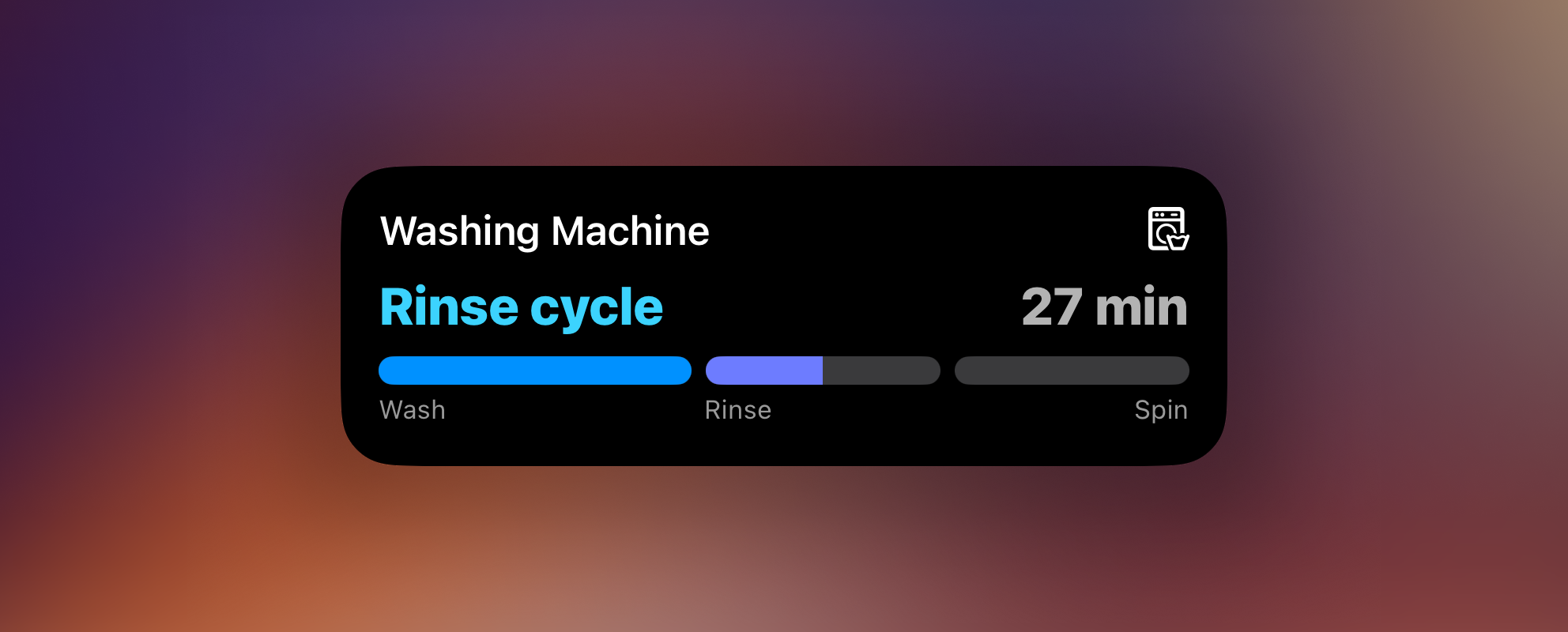
Segmented bars
Need to show distinct phases? Segments let you break the bar into labeled sections with individual colors and fill states. Each segment fills independently as progress advances through its range, complete with smooth sequential animation.
Two display modes are available:
- Split — separates segments with visible gaps, making boundaries obvious.
- Layered — overlaps segments so each one emerges from under the previous with a gradient transition. A more fluid, continuous look.
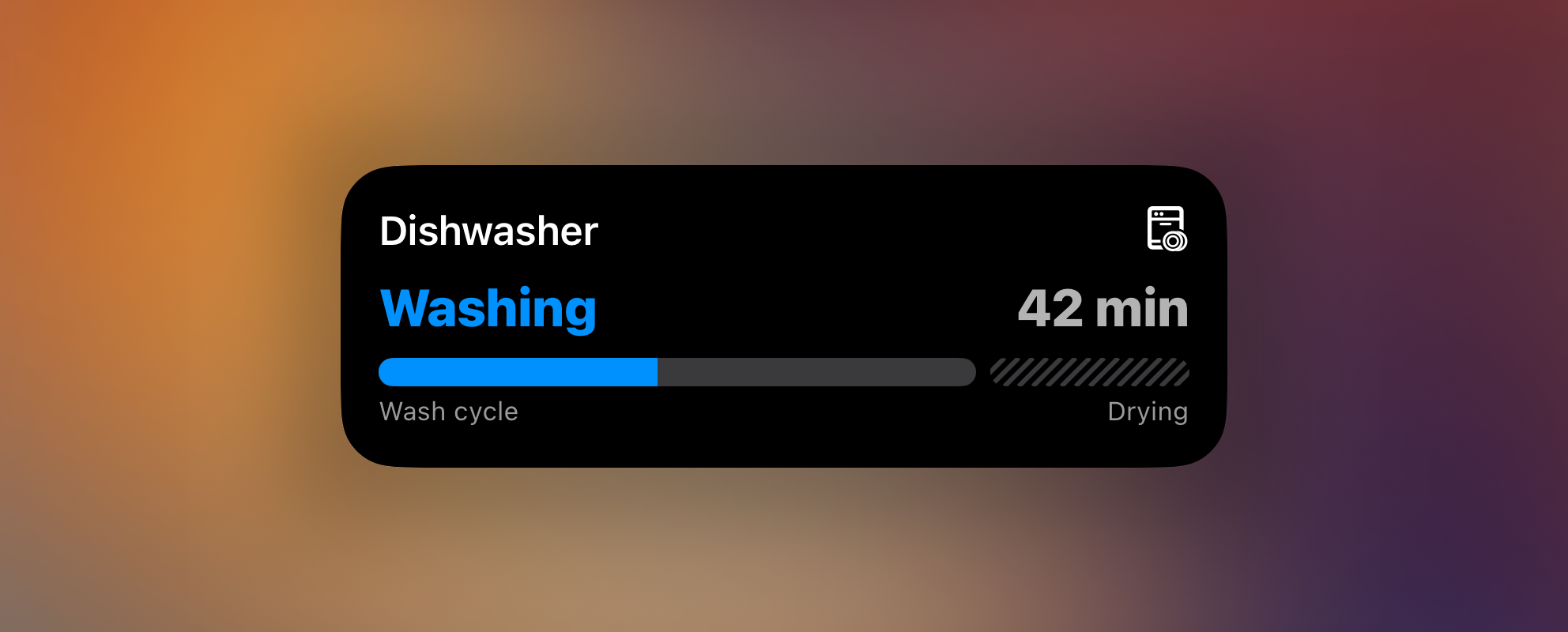
Hatched tracks
Any segment can use a hatched track pattern instead of a solid fill. This is useful for visually marking an optional or overflow zone (like charging past the recommended level). When progress enters a hatched segment, individual hatch lines light up one by one.
Customizable slots
Both the header and footer have left/right slots for additional context. Use them for status labels, time estimates, cost projections — whatever makes sense for your use case. A compact slot controls what’s shown in the Dynamic Island’s trailing position.
Get started
Update to v1.3.0 and head over to the Progress template docs for the full API schema, examples, and a Home Assistant blueprint.
Tap action URL
Live Activities can now open a URL when tapped. Add tap_url to any template’s
content payload to deep-link into another app, open a webpage, or trigger a
webhook — directly from the lock screen or Dynamic Island.
{
  "state": "ONGOING",
  "content": {
    "template": "progress",
    "progress": { "style": "simple", "value": 0.5 },
    "tap_url": "homeassistant://navigate/lovelace"
  }
}
This works with any URL scheme the device can handle — regular web links, Home Assistant deep links, custom app schemes, and more. When someone taps the Live Activity, the target URL opens immediately.
If you’re using Home Assistant, re-import the latest blueprints to get a built-in tap URL input — no manual payload editing needed.
Activity history
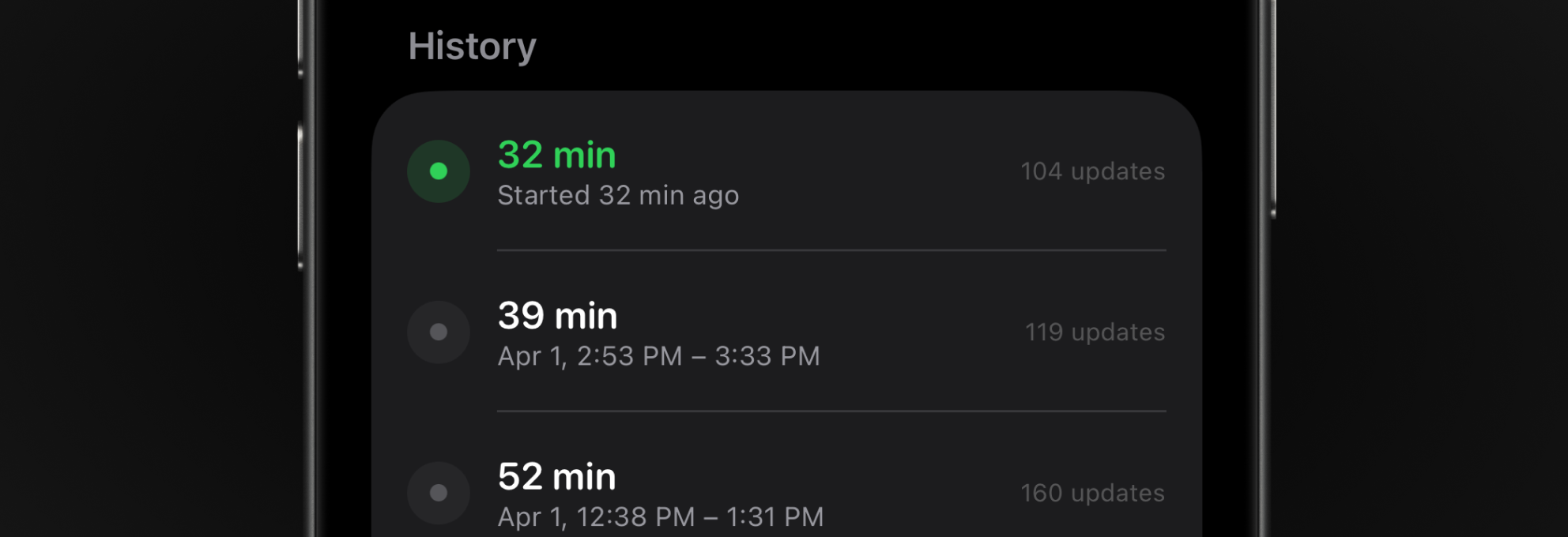
Ever wondered whether an automation actually ran? The new activity history timeline answers that question. Open any activity’s detail page to see the 10 most recent state changes — when it started, stopped, and everything in between.
This is especially useful for verifying that your Home Assistant automations fire as expected, without having to dig through HA logs.
Smaller improvements
- Activity list icons. The activity list now shows each activity’s configured SF Symbol icon inside the status indicator, making it easier to tell activities apart at a glance.
Questions, bugs, or creative setups to share? Come say hi on the community board.