July 25, 2026
Aivi 2.0: Widgets
Persistent widgets for your Home Screen, Lock Screen, StandBy, and Apple Watch: ten templates, updated from anywhere.
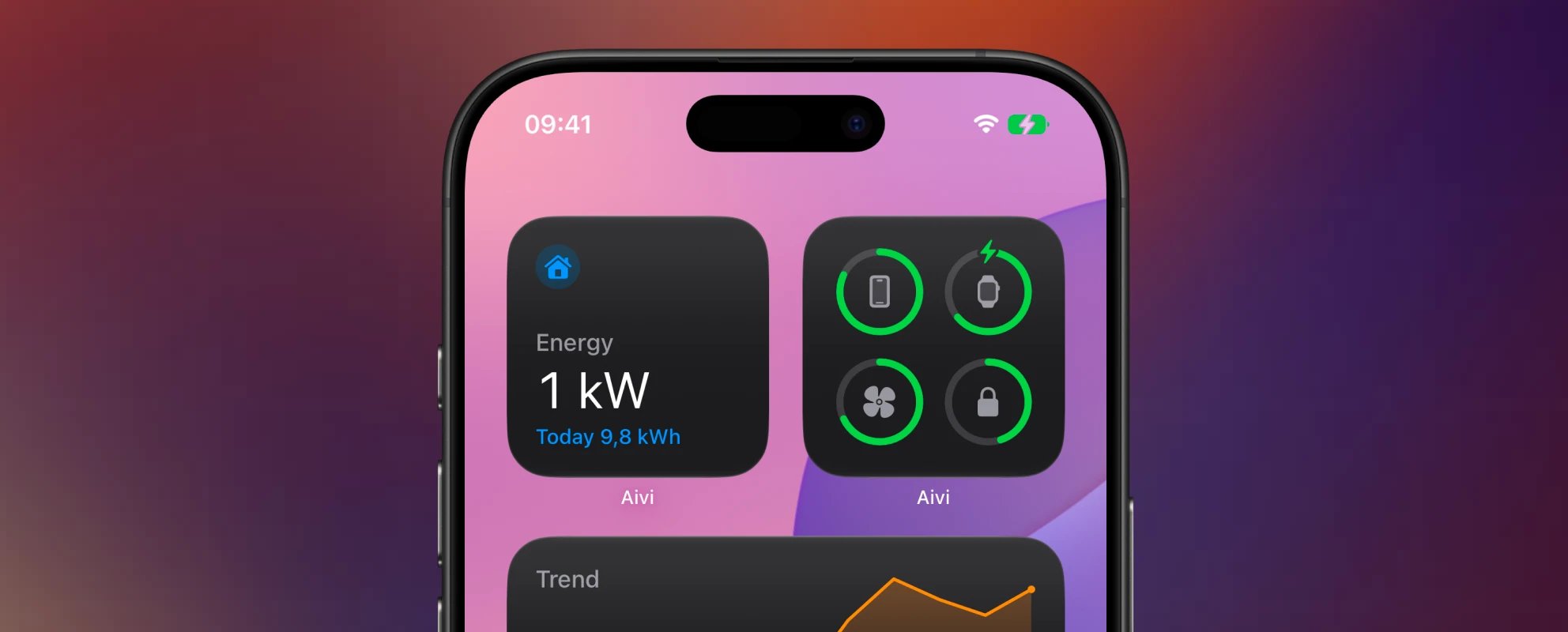
Live Activities are great at one thing: the moment. A wash cycle, a charging session, a print job: they appear when something starts, tick along in real time, and end when it’s done.
But a lot of what you track doesn’t start or end. The temperature in the living room. Your device batteries. Today’s electricity prices. That data deserves a permanent spot on your screen, not an activity card that comes and goes.
v2.0.0 gives it one. Aivi now does widgets: persistent, glanceable, and fed by whatever already knows the answer: Home Assistant, Shortcuts, or your own scripts. It’s the biggest release since launch, so let’s dig in.
A second layer
Widgets are not Live Activities in a new coat. They’re a separate layer with different rules, and the two complement each other:
- Live Activities are ephemeral and real-time. They start, update moment to moment, and end.
- Widgets are persistent and always-on. They hold their spot and show the latest known state.
Create a widget once in the app, place it wherever you want it (Home Screen, Lock Screen, StandBy, Apple Watch), and every update you send lands on all of them at once.
Ten templates
Live Activity templates are built around a moment in progress. Widgets needed their own vocabulary, so 2.0 ships with ten templates designed for standing data:
- Status: an icon, a hero reading, and a state line. The workhorse.
- Gauge: a numeric reading on an instrument dial.
- Trend: a current reading with a history sparkline.
- Progress: a live bar or countdown that advances on its own.
- Countdown: a self-updating countdown to a moment: garbage day, the next departure, an appliance finishing.
- Battery: device battery rings in Apple’s Batteries idiom, made for all the vacuums, locks, and sensors Apple’s own widget can’t see.
- List: rows of labeled values for anything multi-entity.
- Prices: a price timeline for dynamic tariffs, with the current period highlighted.
- Energy: solar, grid, battery, and home consumption at a glance.
- Budget: a top-level budget with category rings, formatted for your locale and currency.
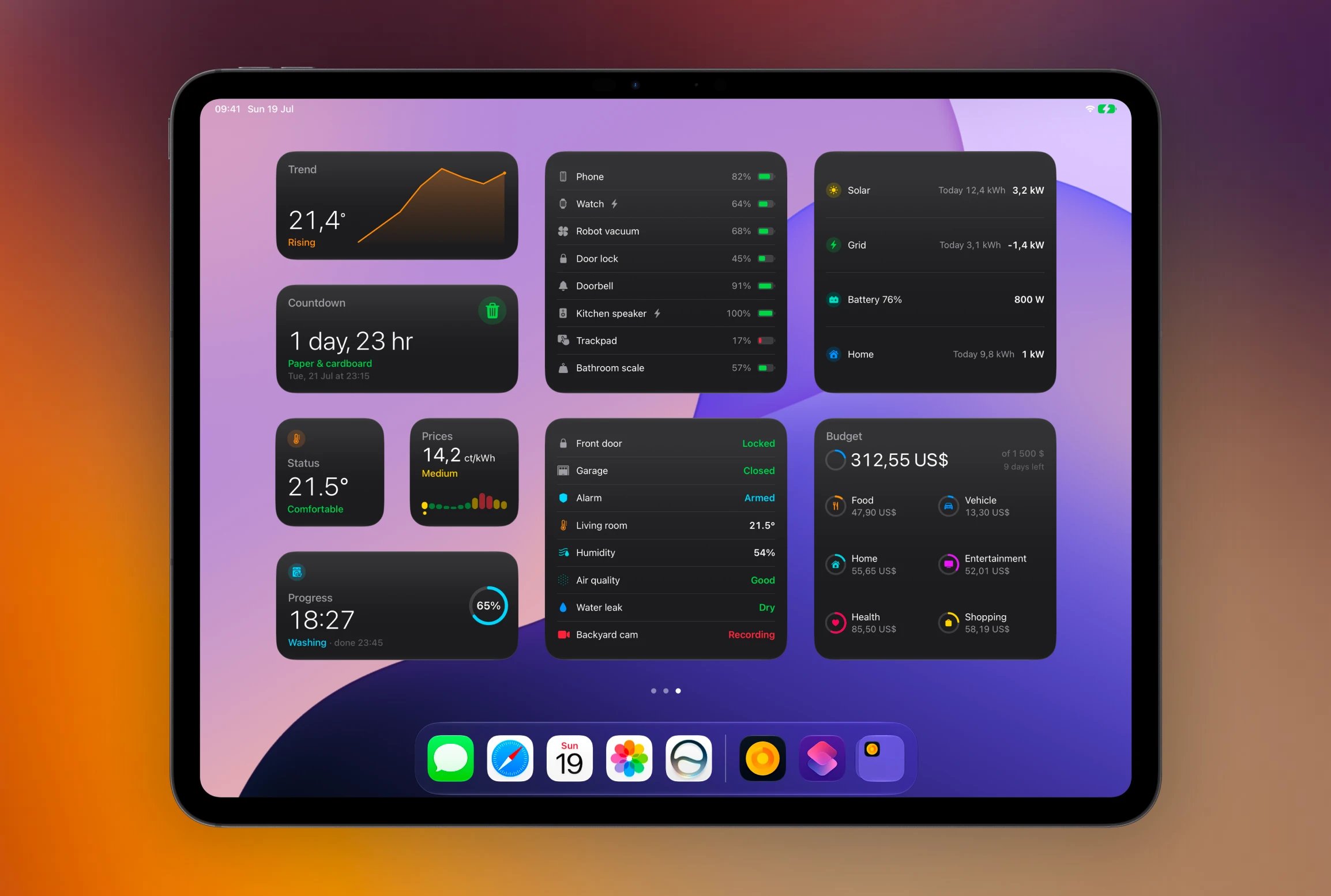
They speak the same visual language as your Live Activities: the same colors, icons, and formatting options throughout. Every template comes in all the widget sizes, and the new Board widget tiles several of your widgets together in one grid.
Built to stay fresh
Widgets show the latest known state, and Aivi is built so that state stays trustworthy. Anything predictable keeps moving on its own between updates: progress bars advance, countdowns tick, and the price chart follows the current hour all day; one update in the evening keeps it correct until the next one.
And for data that goes quiet, you can tell a widget how fresh is fresh enough. Past that point it shows “as of 14:32” instead of presenting an old reading as current.
On your wrist
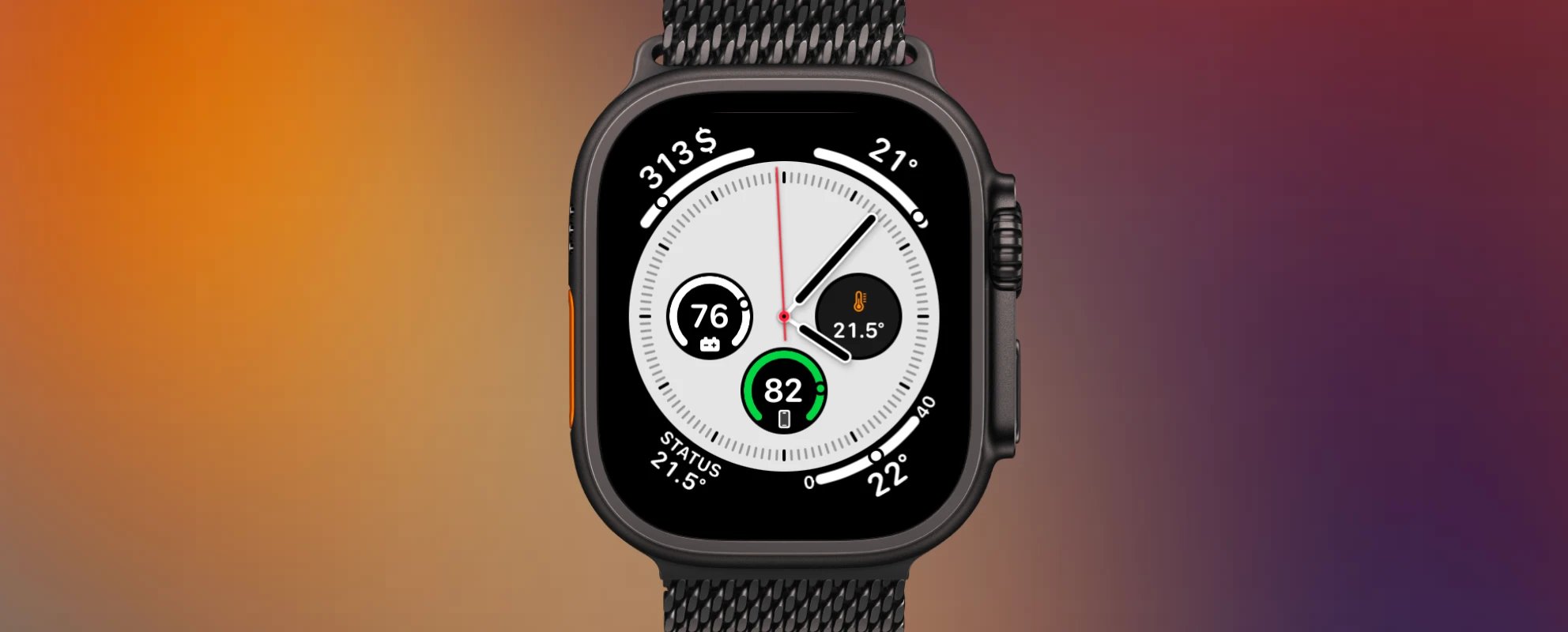
Every template renders on the Apple Watch, as corner, circular, rectangular, and inline complications, straight on your watch face. The watch app lets you browse your widgets, and tapping a complication takes you right to the one you tapped.
Widgets also join the Smart Stack, and they know when to surface: a task about to finish or a battery running low rotates the relevant widget to the top on both iPhone and Apple Watch.
Share a widget with a link
Some data is a household thing. The dishwasher, the solar production, the grocery budget: everyone at home wants the same glance.
Any widget can now be shared with an invite link. The person you share with opens it in Aivi and subscribes, no account needed, and from then on your updates reach their screens too. You can see who’s subscribed to your widget and remove anyone at any time.
For anything sensitive, flip on the widget’s privacy setting and its content stays hidden while a device is locked, on every device that shows it.
Update from anywhere
Widgets are fed by whatever already knows the answer, and 2.0 makes hooking that up easier than ever:
- Shortcuts, natively. There’s a new Update Widget action, so a shortcut or personal automation can update a widget directly: from a schedule, the Action button, or anything else that can run a shortcut.
- Home Assistant. One automation keeps a widget in sync with any sensor, using the same setup you know from Live Activities.
- Everything else. If it can reach the web, it can feed a widget: a script, a cron job, a CI pipeline.
And you no longer have to piece the setup together yourself: every widget’s Connect screen hands you ready-made snippets for each integration, prefilled for that widget.
A new look, and a real iPad app
Widgets are the headline, but the whole app got a facelift for 2.0. A design-coherence pass touched every screen, the create and onboarding flows were rebuilt, and previews now sit on a glass Lock Screen stage so you see exactly what you’ll get before anything ships. Activity details grew a history timeline showing when your activities fired, week by week.
The app is also properly at home on iPad now, with a native three-column layout instead of a scaled-up iPhone screen. And under the hood of all that polish: full VoiceOver support and Dynamic Type across the app, for widgets and Live Activities alike.
Get started
Update to v2.0.0, open the new Widgets tab, and create your first widget; you can have up to 20 of them. The app walks you through placing it on your Home Screen, and the docs cover every template with previews and ready-to-use examples.
Questions, bugs, or a widget setup you’re proud of? Come say hi on the community board.