November 1, 2026 By Krzysztof Jagiello
Live Activities You Can Press
Aivi 2.4 puts buttons on the Lock Screen with the Remote Live Activity, adds the Showcase and Remote widgets, and a Home Assistant integration from HACS.
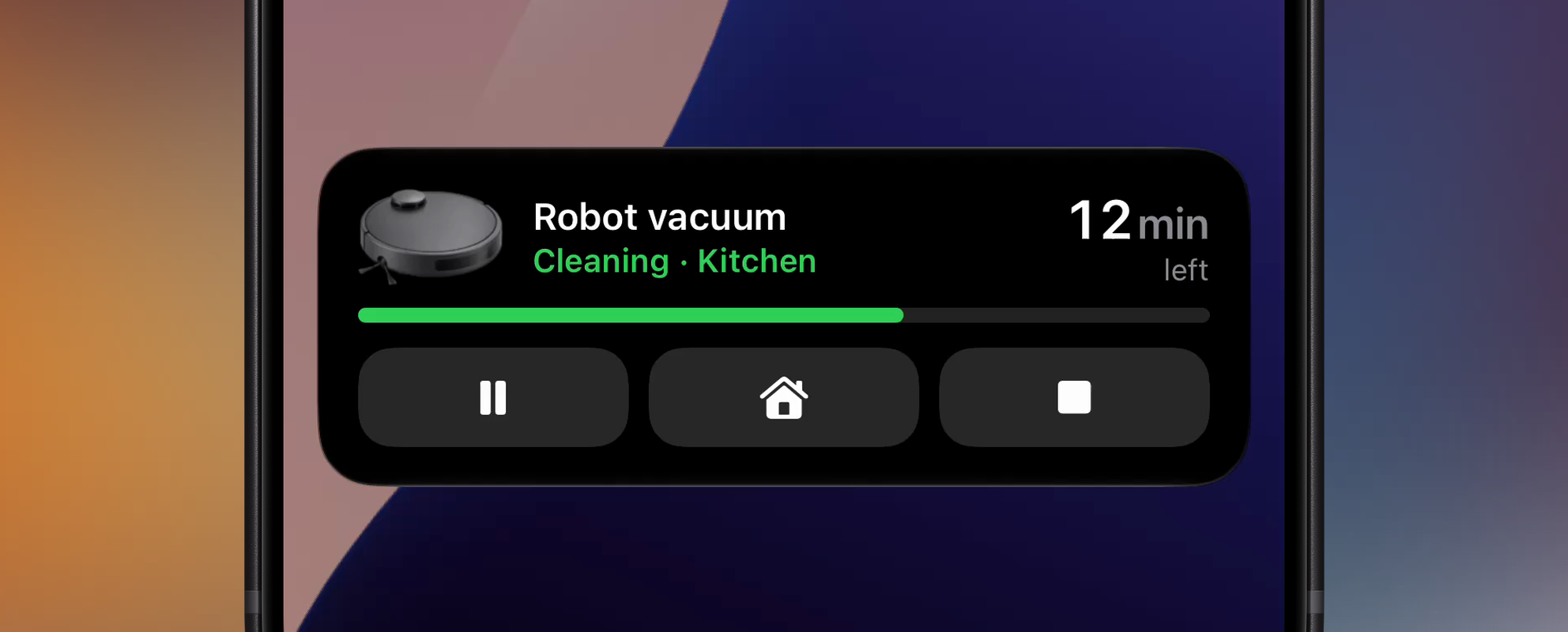
Aivi 2.4 is out, and Live Activities can now take a press.
A Live Activity could always tell you what was happening. If you wanted to change it, you still had to go and find the right app. 2.4 puts the buttons right where you’re already looking, on the Lock Screen and on the Home Screen.
Buttons on the Lock Screen
The new Remote Live Activity is one device and up to three buttons or toggles: pause the vacuum, send it home, stop it. They’re on the Lock Screen and in the expanded Dynamic Island.
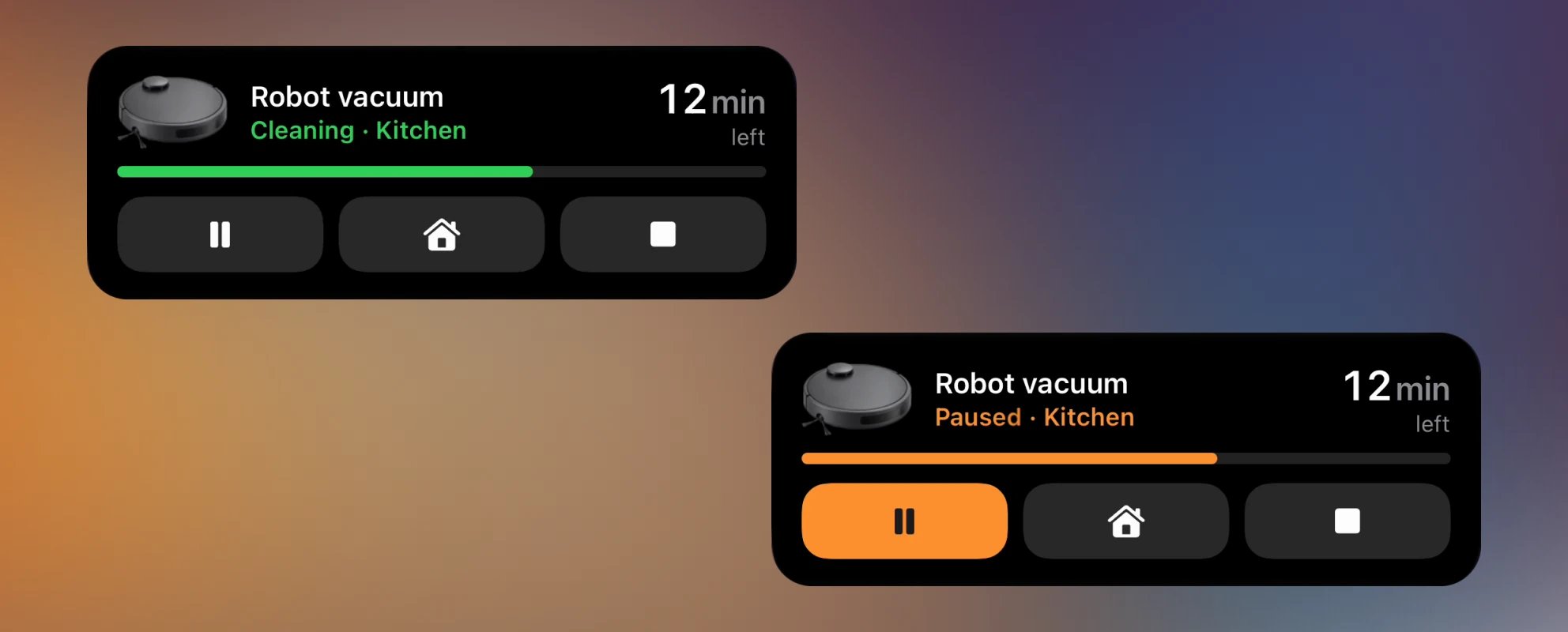
I use it for my own robot vacuum. When it starts cleaning in the middle of a work meeting, I pause it right from the Lock Screen instead of hunting for the Roborock app.
A press goes to your own system, and your system does the work. The button shows that it’s waiting until your next update confirms the change, so it never pretends something happened. Buttons and Toggles shows how to connect it.
Two new widgets
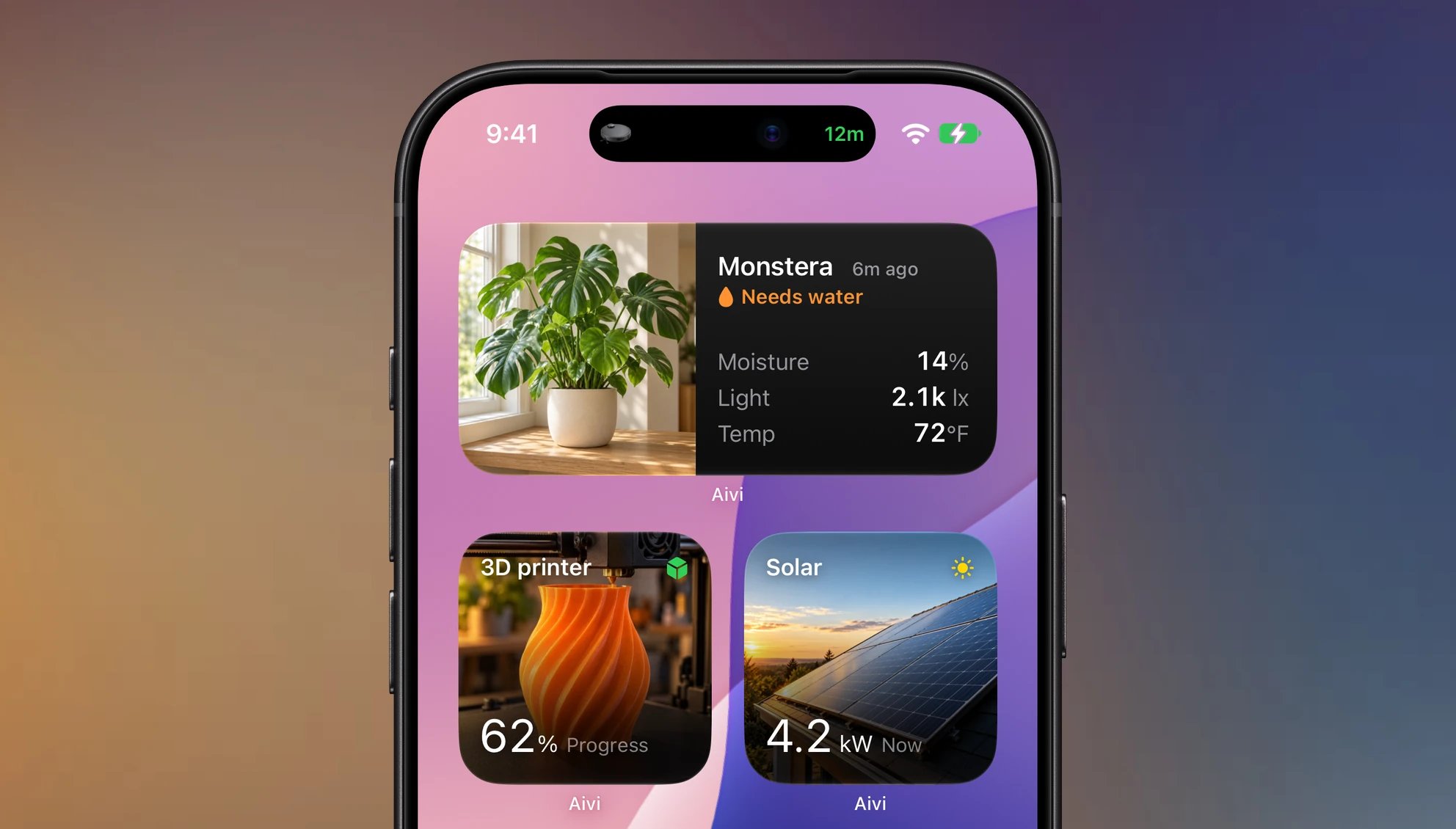
Showcase is a picture, a state and up to six readings. It’s made for the things at home you like to glance at: a plant that needs water, a 3D print halfway done, the solar panels on the roof. The picture tells you which one it is before you read a word, and the readings fill in the rest.
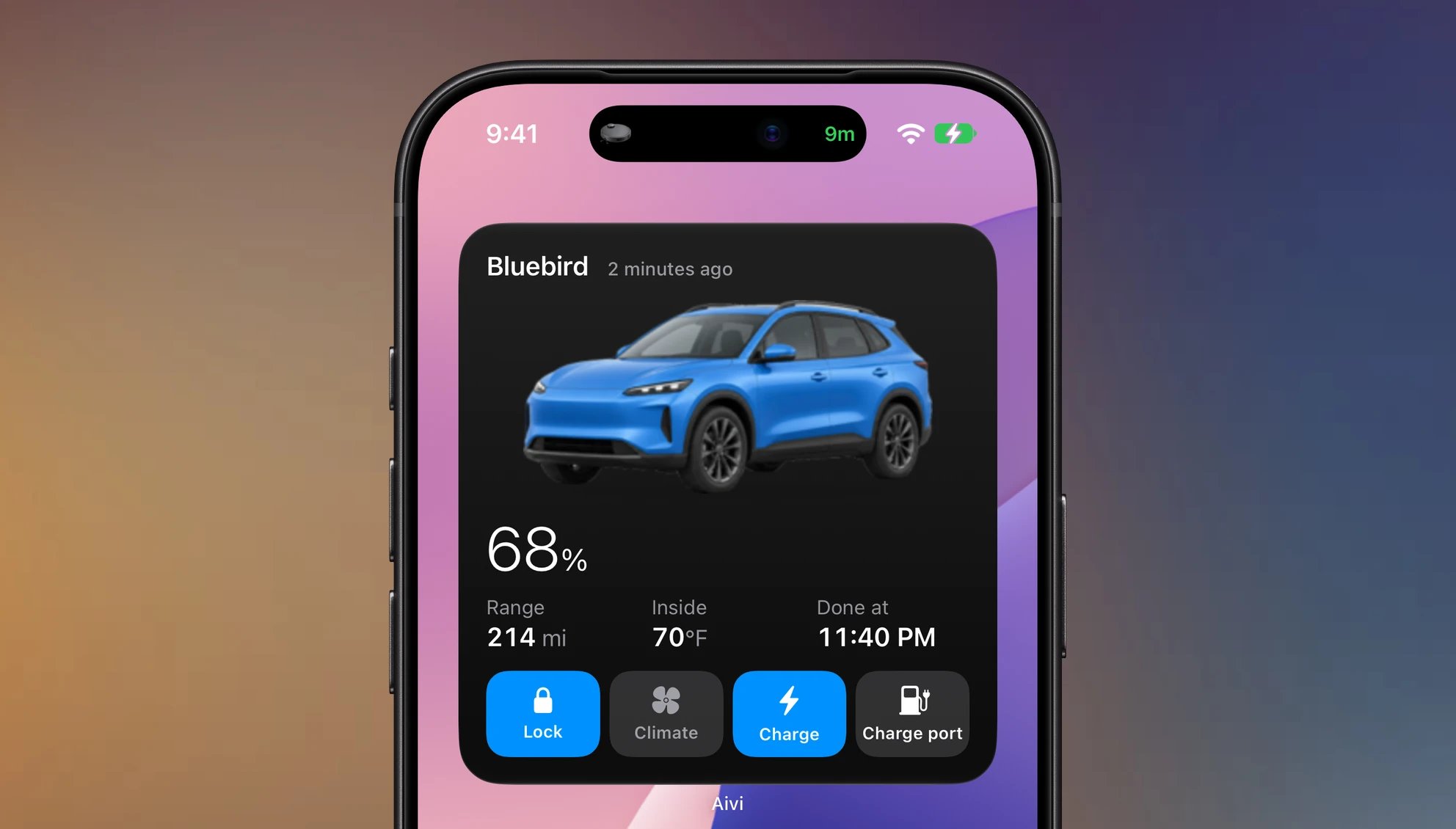
Remote brings the buttons to the Home Screen: one device and up to five of them. A car is a good example. The widget shows its charge and range, and the buttons lock it, warm it up before you leave, or start charging. The same works for a garage door, a gate or the porch lights: anything you’d otherwise open an app for.
Both are in the widget templates.
Home Assistant
Until now, the way I recommended to connect Aivi to Home Assistant was a set of blueprints. But the blueprints had grown too complex. Home Assistant’s blueprint UI is quite limited, and it doesn’t allow enough customization to make the setup flow smooth. The more options I added, the more cluttered it felt. I wanted to clean it up, but right now that just isn’t possible.
The other big reason was interactivity. With blueprints, the only way to handle a button press would have been a webhook, and I didn’t want to force anyone to expose their Home Assistant to the internet. Aivi’s event API makes receiving presses easy, but it doesn’t fit into blueprints either.
So 2.4 comes with a Home Assistant integration, installed through HACS. You pick the entities behind each widget and Live Activity in a panel with a live preview, and buttons act in Home Assistant directly, with no webhook. The integration guide has the setup.
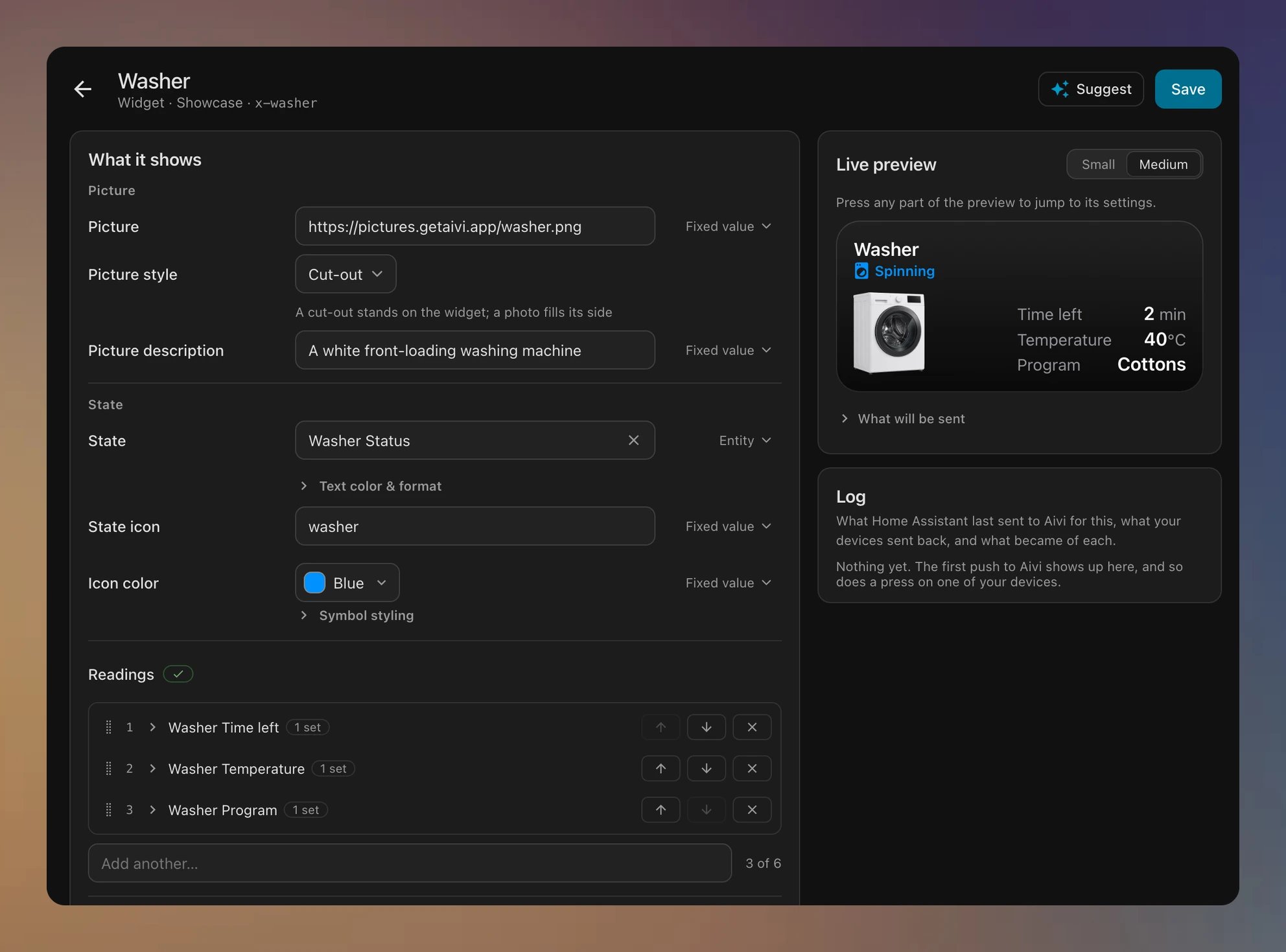
The panel also has Suggest: describe what you want, and it fills in the widget for you. It runs on the AI model you’ve already set up in Home Assistant, through its AI Task integration, so there’s no new account or key, and nothing goes to Aivi’s servers. We’re living in the age of AI, and the mundane parts of a setup can now be automated away. Suggest is far from perfect yet, but it’s a great way to get a quick starting point for a new widget or Live Activity.
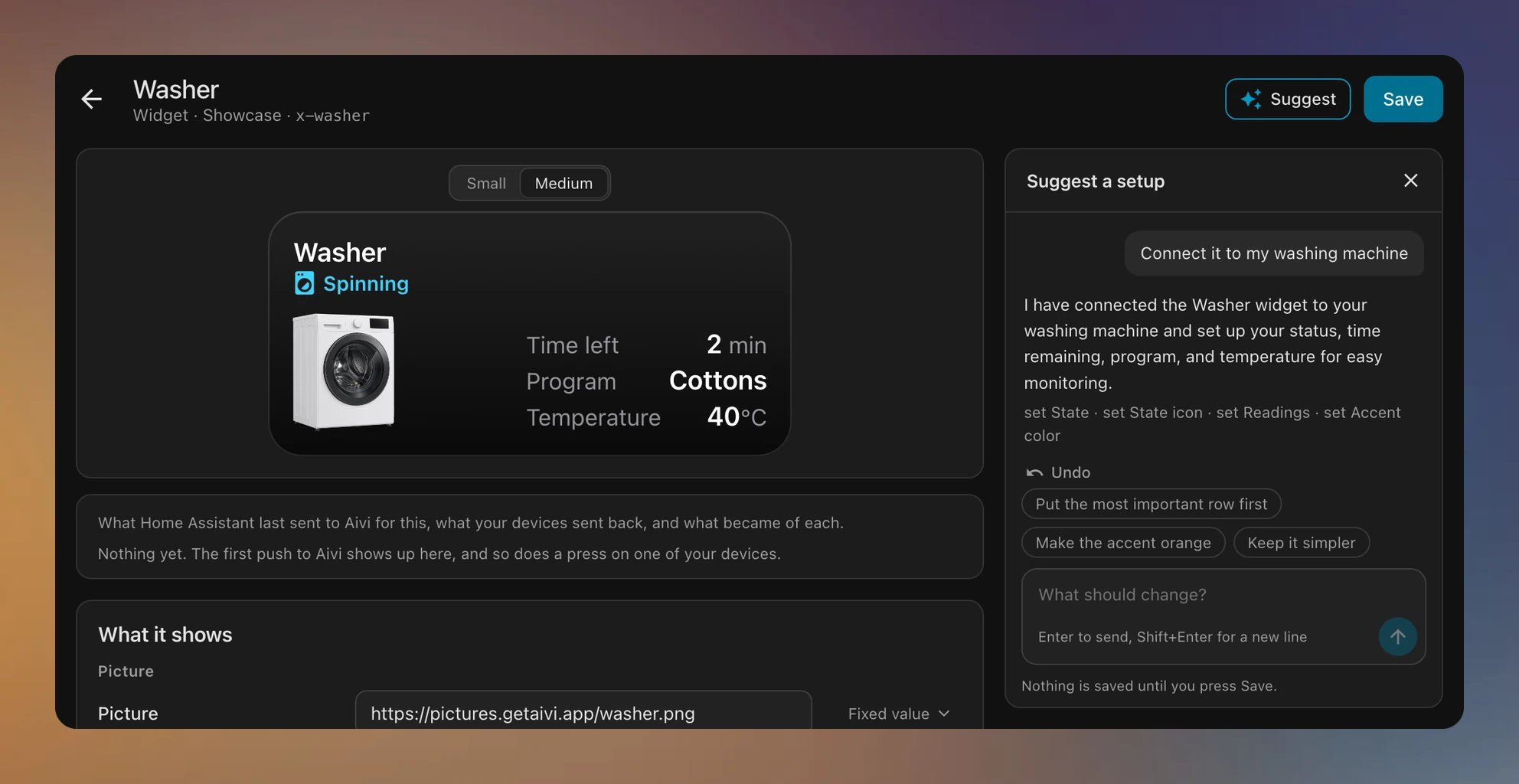
The integration hasn’t seen much use yet, so it may be rough around the edges. I hope to keep improving it over time.
Two smaller things. A button can now open a link instead of sending a press, for example to a Home Assistant dashboard or a camera app. When a widget or Live Activity was shared with you, Aivi asks before opening it.
And Settings has a new list of every device that receives your widgets and Live Activities, so you can remove the ones you no longer use.
I’d like to thank everyone who reaches out with feedback or questions. It really helps me shape what comes next, so keep it coming on the community board or at hello@getaivi.app.